
A three-point tracker for every shot from deep
By Matthew Parrott, who makes Tally Hoops ·
Threes are the shot most players want to improve and the one they're least sure about, because the number swings so much from night to night. Here's how to count every attempt with Tally Hoops, and how many threes it takes before your percentage tells you anything.
Free to download · iPhone and Apple Watch
Why track threes on their own
A three is worth half as much again as a two, so the percentages aren't comparable: making 33.3% from three scores exactly as many points per shot as making 50% inside the arc. Lump your threes in with free throws and layups and a good night at the line hides a cold night from deep, or the other way round.
Tally Hoops keeps them apart from the start. Three Pointers is its own session type, next to Free Throws and Freestyle (everything else), and your records, stats, drills and milestones are all kept per type. Filter Stats or History to 3 Pointers and you're looking at nothing but threes.
How to track a three-point session
- Start Three Pointers on your Apple Watch. It's the first choice on the watch's Start screen. The watch app runs on its own, so your iPhone can stay in your bag; the session syncs when the phone is back in reach.
- Log each shot. Roll the Digital Crown up for a make and down for a miss. On Apple Watch Series 9, Ultra 2 or later, Double Tap (pinch your index finger and thumb together twice) logs a make, and press and hold on the shot ring logs a miss. See each one in action.
- Read it as you go. The face shows makes, attempts and your percentage after every shot. The Last Ten face shows how your last ten went instead, which is a better read on whether you're in rhythm than the session total.
- End the session. It lands in your history, your three-point records update, and every shot keeps the heart rate it was taken at.
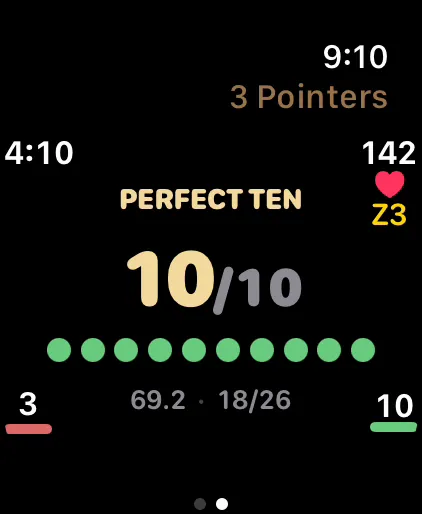
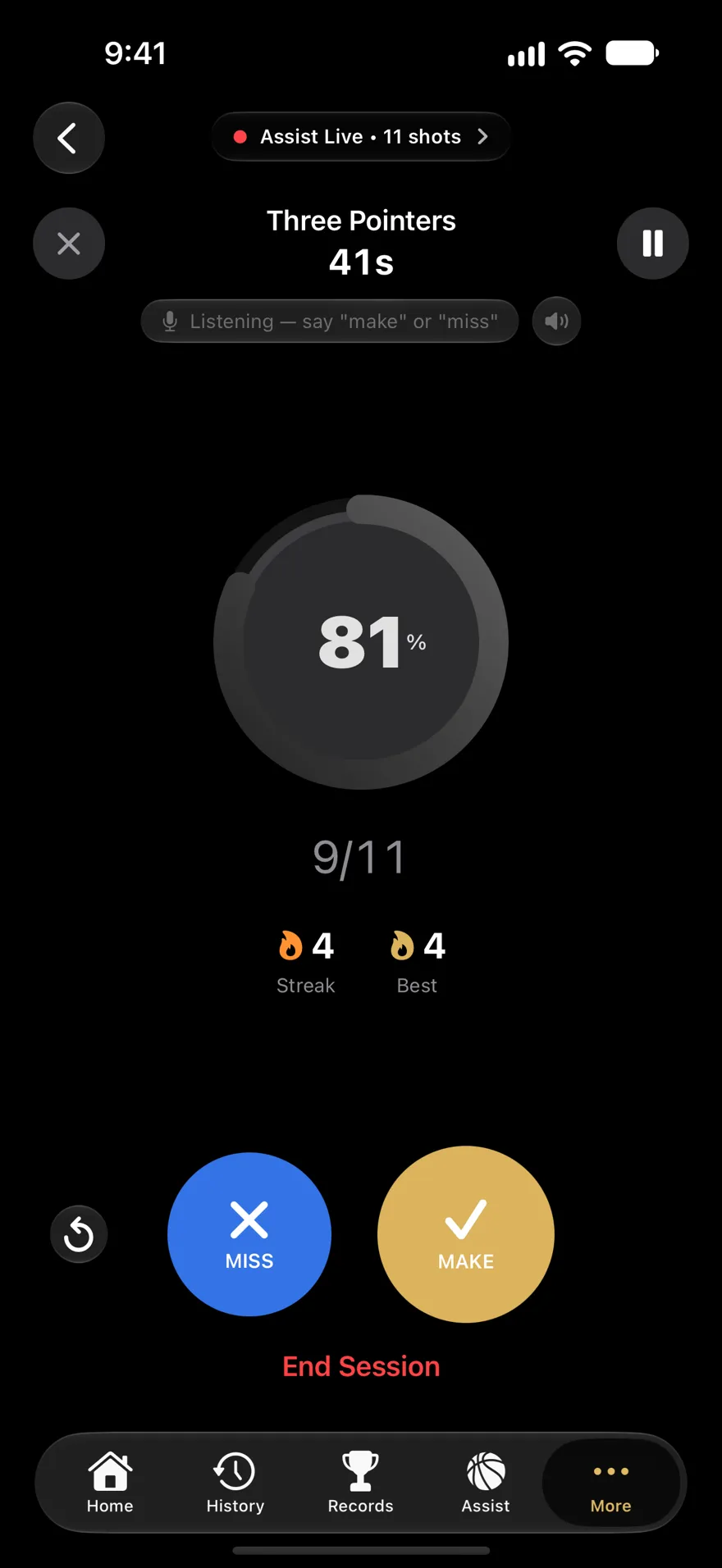
Shooting without a watch? Assist Mode on iPhone has big Make and Miss buttons, or turn on voice and say "make" or "miss" after each shot ("undo", "pause", "resume" and "end" work too). Recognition runs on the phone. You can also say "Log a make in Tally Hoops" to Siri.
How many threes before your percentage means anything
Every shot is like a coin flip weighted by how good you are, and short runs of coin flips swing a lot. If your true three-point percentage is 35%, the spread you should expect in one session comes from a simple formula: the standard error is √(0.35 × 0.65 ÷ shots). For 50 shots that's about 6.7 percentage points, and about 95% of sessions land within two of those, roughly 13.5 points either side.
| Threes in the sample | Where a true 35% shooter lands, 95% of the time |
|---|---|
| 25 | 15.9% to 54.1% |
| 50 | 21.5% to 48.5% |
| 100 | 25.5% to 44.5% |
| 200 | 28.3% to 41.7% |
| 500 | 30.7% to 39.3% |
So a 50-shot session at 24% and one at 46% can come from exactly the same shooter (try your own numbers in the shooting percentage calculator). The differences that matter from three are small, too: going from 35% to 39% is a real jump, but to tell it apart from luck you'd want something like 1,100 threes before the change and 1,100 after. That's not a reason to stop tracking; it's a reason to keep tracking long enough for the noise to wash out.
In practice: shoot the same number of threes each session, and judge by weeks, not nights. The Stats tab's Shooting Trend compares your last 5 sessions with the 5 before, and your last 20 with the 20 before; filter it to 3 Pointers. For how your number compares with other players, see what counts as a good shooting percentage.
A simple three-point workout
Tally Hoops doesn't record where on the floor you shot from. If you want to compare spots, make each spot its own session: shoot your corner threes, end the session, then start a new one on the wing. Afterwards, open the session on iPhone, tap Edit Session and add a note such as "left corner", so you know which was which. A custom drill with a fixed shot count works the same way and keeps every spot the same size.
- Warmup drill, 25 threes. Form first, from wherever you're most comfortable.
- Five spots, 20 threes each. Both corners, both wings, top of the key: 100 shots, one session (or one custom drill) per spot.
- Once a week, a Century Session instead: 100 threes as your benchmark, so one week's number sits next to the last.
Pick a volume you can repeat. 125 threes three times a week, logged every time, will tell you more than one 300-shot day a month. How many shots a day goes into picking that number.
Records, faces and drills for threes
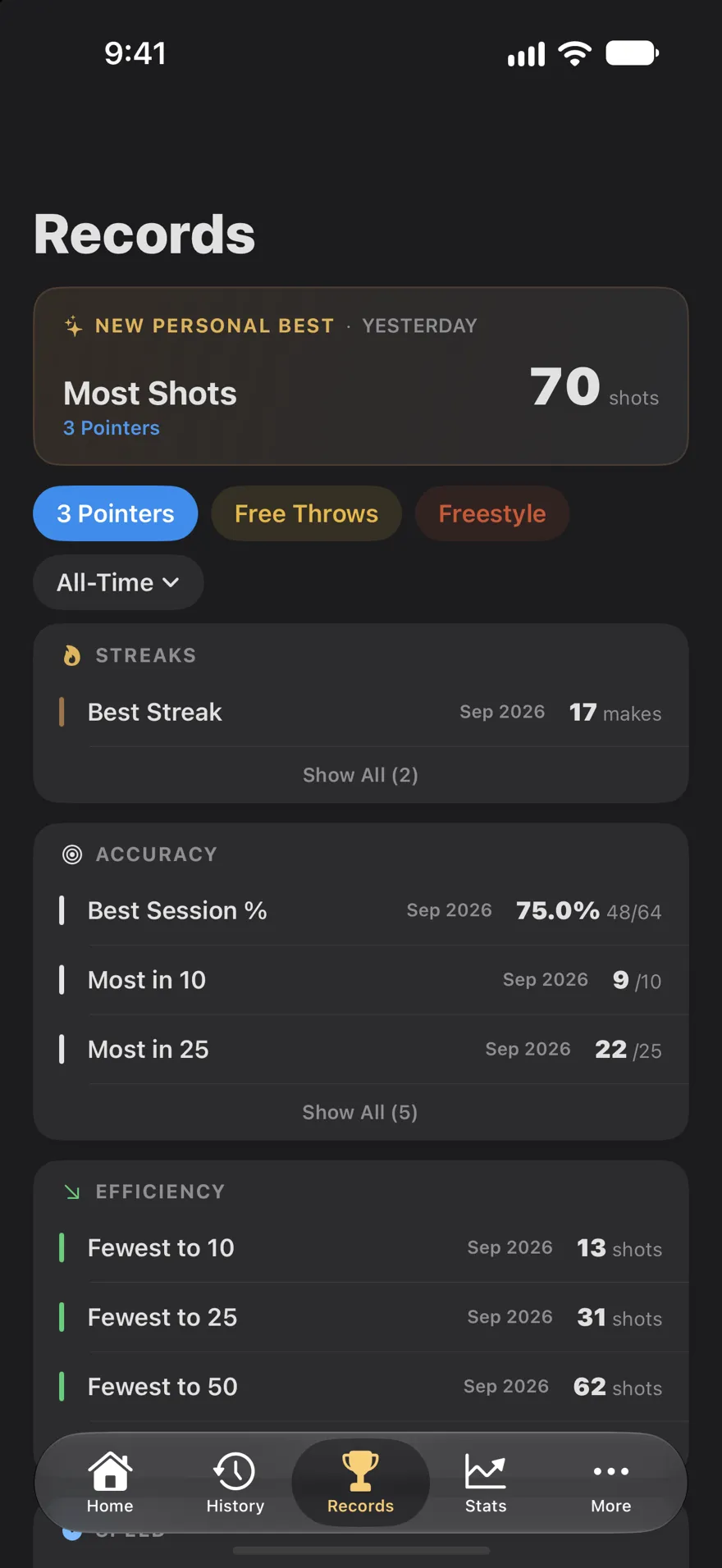
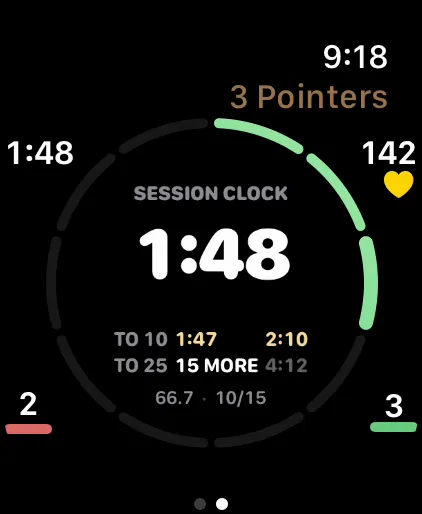
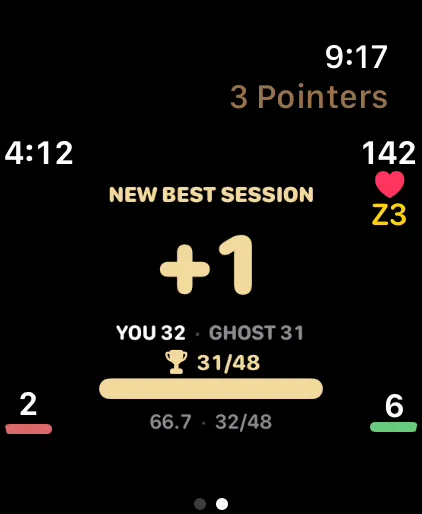
The Records tab has a 3 Pointers page of its own: your best streak, best session percentage, most makes in 10 and 25, fewest shots to reach 10, 25 and 50 makes, and fastest time to 10 makes and beyond. Two Premium watch faces turn those records into something to chase mid-session. Stopwatch runs a session clock with your time to 10 and 25 makes beside your record, gold when today's is faster. Ghost Race races your best session shot for shot. All nine faces.
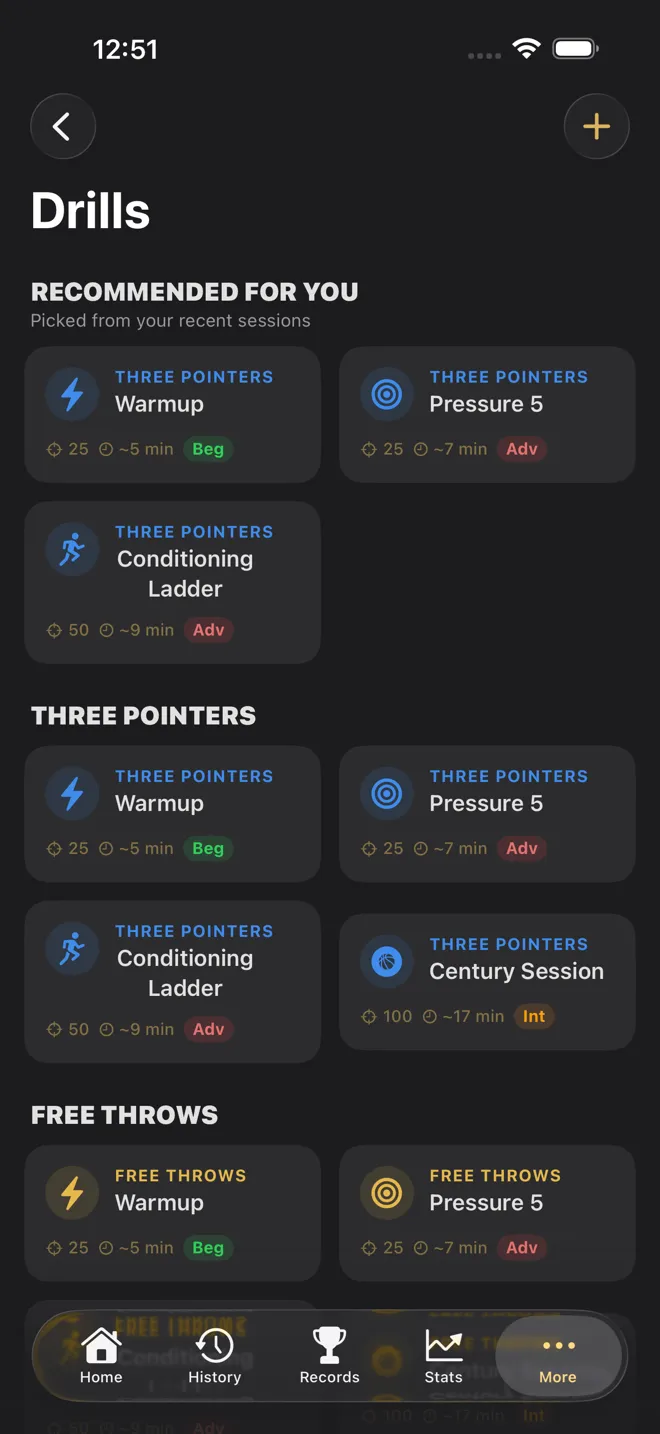
Four built-in drills come in a Three Pointers version: Warmup (25 shots, free), Century Session (100), Pressure 5 (make five in a row, five times) and the Conditioning Ladder (five sets of ten, each clearing at 4 of 10). Three-point drills are graded Bronze at 30%, Silver at 40% and Gold at 50%. Warmup and two drills of your own are free; Premium unlocks the rest. More on the drills.
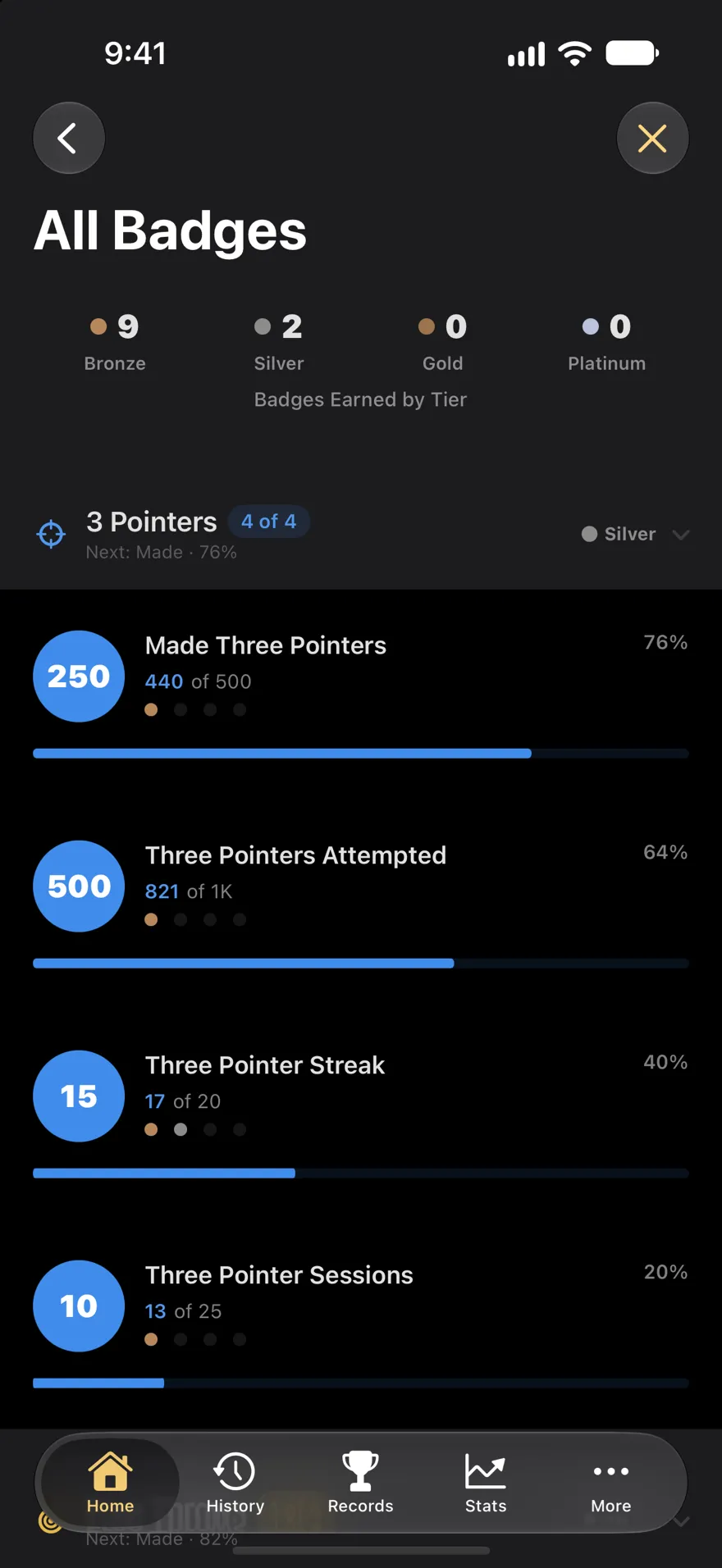
Then there are the milestone ladders: Made Three Pointers runs from 100 to 100,000, Three Pointers Attempted from 250 to 250,000, and Three Pointer Streak from 5 in a row to 100. Every badge and ladder.
Threes when you're tired
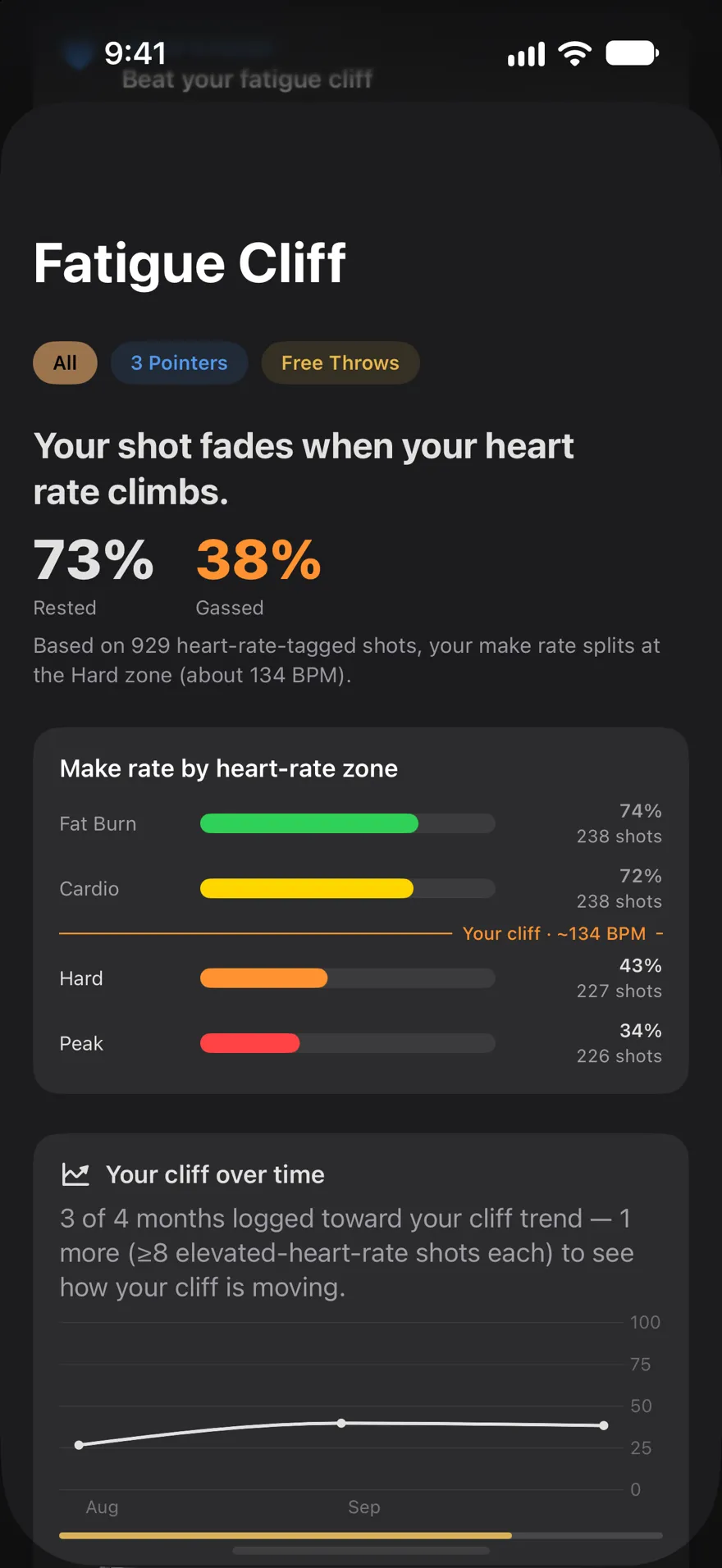
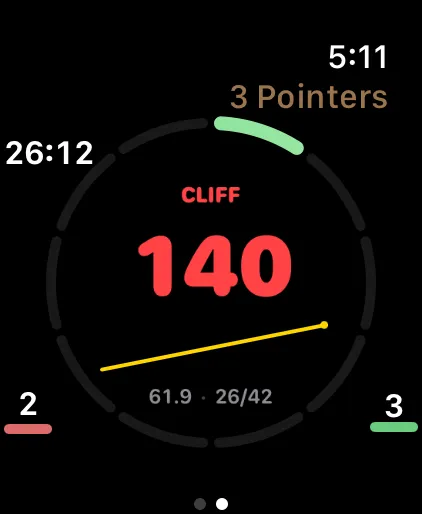
Threes lean on your legs, so it's worth knowing how yours hold up late in a workout. Every shot you log on Apple Watch carries your heart rate, and once you have at least 40 of them, the Fatigue Cliff finds the heart rate where your make rate drops the most. It works it out per shot type, so your three-point cliff isn't mixed up with free throws, which barely raise your heart rate. Mid-session, the watch can tap your wrist when you've been past your cliff for 20 seconds: a cue to slow down, or to shoot through it on purpose. How the Fatigue Cliff works.
What it doesn't do
Tally Hoops counts the shots you log; it doesn't detect them, and it doesn't use the camera to count. It records whether each three went in, not where you were standing. If a spot-by-spot breakdown matters to you, the one-session-per-spot routine above gets you there with a few extra taps.
Checked against Tally Hoops 3.11 on October 14, 2026.
Questions
How do I track my three-point percentage?
Count every three you take and every one you make, then divide makes by attempts and multiply by 100. Logging each shot as it happens, on Apple Watch with the Digital Crown or Double Tap or on iPhone with a button or your voice, keeps the count honest, and keeping threes in their own sessions stops free throws from padding the number.
How many threes do I need to shoot before my percentage means something?
More than one session's worth. For a true 35% shooter, about 95% of 50-shot sessions land anywhere from 21.5% to 48.5% by chance alone, 100 shots from 25.5% to 44.5%, and 200 shots from 28.3% to 41.7%. Judge your three-point shooting over several hundred attempts, not one night.
Does Tally Hoops know where on the court I shot from?
No. Tally Hoops records each make or miss, the shot type and, on Apple Watch, your heart rate, but not your position on the floor. To compare spots, run each spot as its own session or drill and add a note to the session saying which spot it was.
Is Tally Hoops' three-point tracking free?
Yes. Three Pointers sessions, your live percentage, records, history and the last week or month of stats are free. Premium adds the year and all-time stat ranges, watch faces such as Stopwatch and Ghost Race, and every built-in drill, for $4.99 a month, $29.99 a year or $99.99 once in the US.
What's a good three-point percentage?
NBA players made 36.0% of their threes in the 2025-26 regular season, and NCAA Division I men's teams made about 34%. Practice threes are usually uncontested, so expect your workout number to run higher than your game number.